FunEasyLearn offers the possibility to review everything you have learned:
1. Review the letters of the alphabet (for the courses that have them)
2. Review the reading rules (for the courses that have them)
3. Review the words and sentences, according to different criteria:
a) Time – the words and sentences you have learned, grouped under "Today", "Yesterday", "Last 3 days", "Last 7 days", "Last 14 days", "Last 30 days", "Last 90 days", "Last 180 days" or "Earlier". Only periods with learned content are shown
b) Learning now – the words and sentences you have started to learn, but did not finish (did not play all the games or did not provide correct answers in all the games)
c) Learned – the words and sentences that have participated in all the games and all the answers were correct
d) Forgotten – the words and sentences that haven’t been reviewed for a certain period of time: 7, 14, 21 or 30 days in the first review cycle, with longer periods in later cycles
e) Articles – the learned words that feature articles (for the courses that have them).
Go to the "Tools" tab and select "Review". Choose "Alphabet", "Words" or "Sentences", then choose what you want to review. Select the available letters, subtopics or review groups, then tap "Review" to start.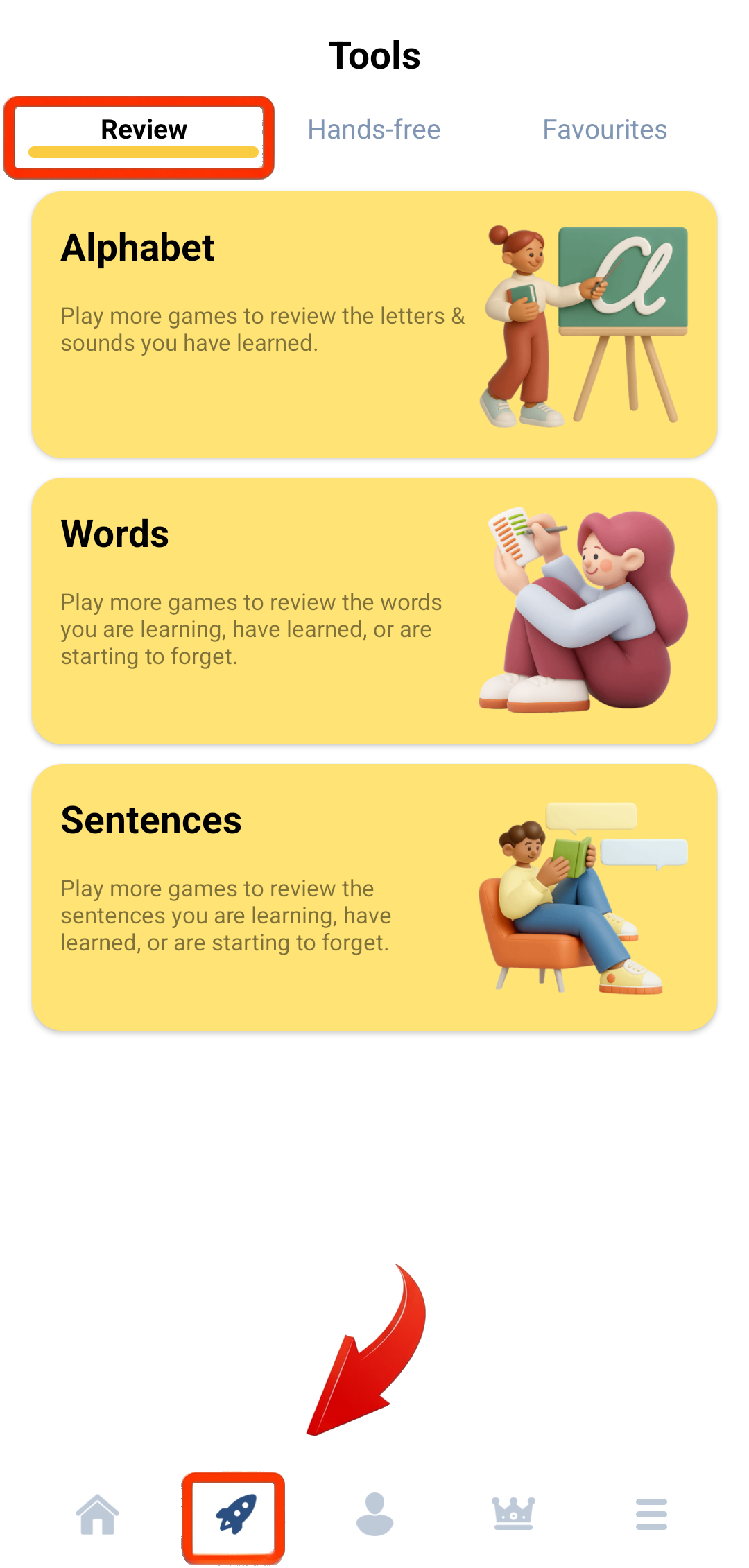
Note: Some review options require a subscription. The Review Manager is available only on Android devices.
What is a Review?
Why is the Review empty?
Do I earn anything when making a Review?