FunEasyLearn Help Center Help Center home page
Submit a request
  1. FunEasyLearn Help Center
  2. FAQ iOS
  3. Settings

Articles in this section

  • How do I use the keyboard of my device?
  • How do I reset all the tutorials?
  • How do I activate my Promo Code?

How do I activate my Promo Code?

If you want to activate your Promo Code:

1. Go to the "More" tab.
Where_do_I_buy_the_hints_-_More.jpg
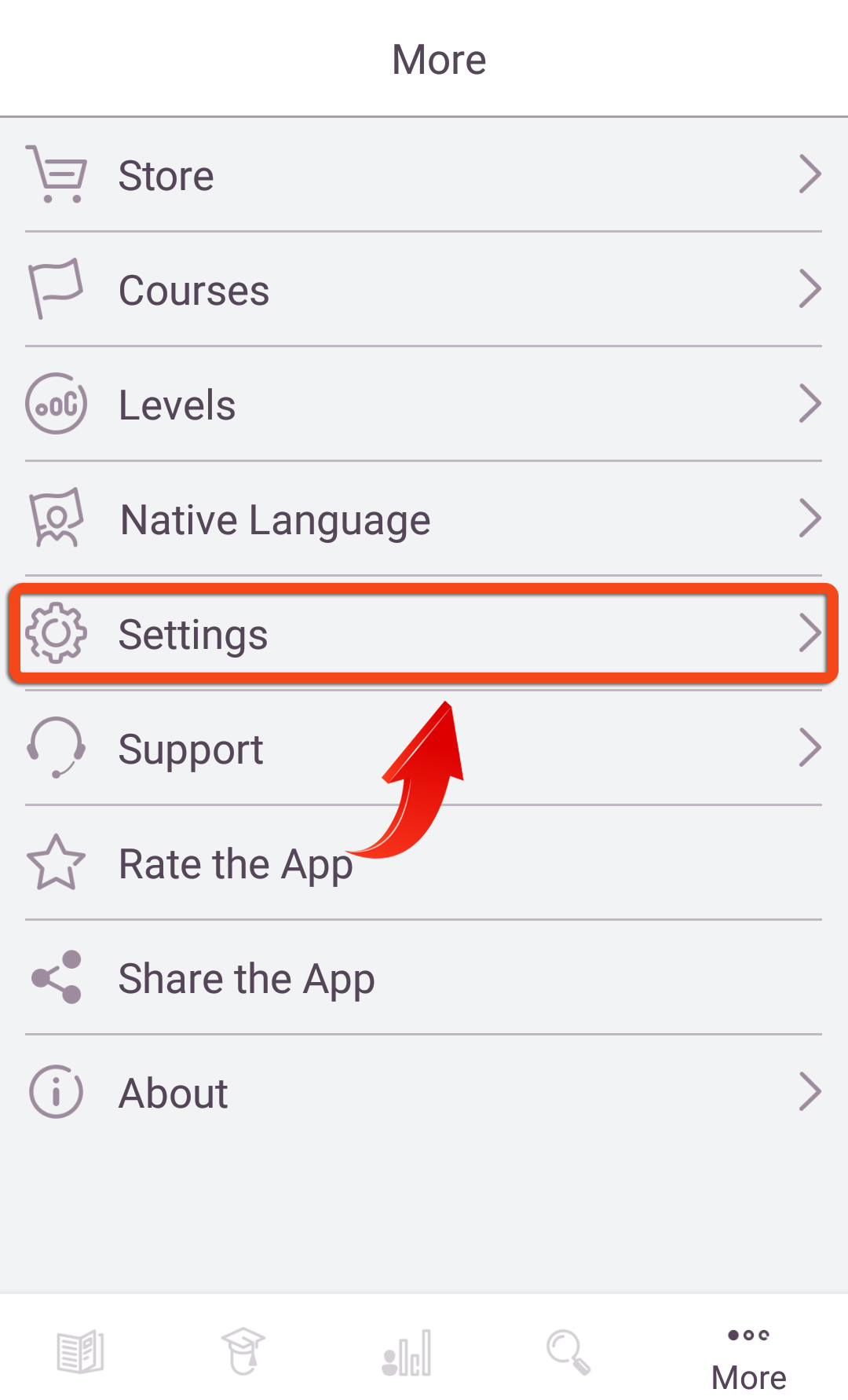
2. Tap on the "Settings" menu option.
Settings.jpg
3. Tap on "Promo Code".
Promo_Code_-_iOS.jpg
4. Write your Promo Code.
Write_Promocode_-_iOS.jpg
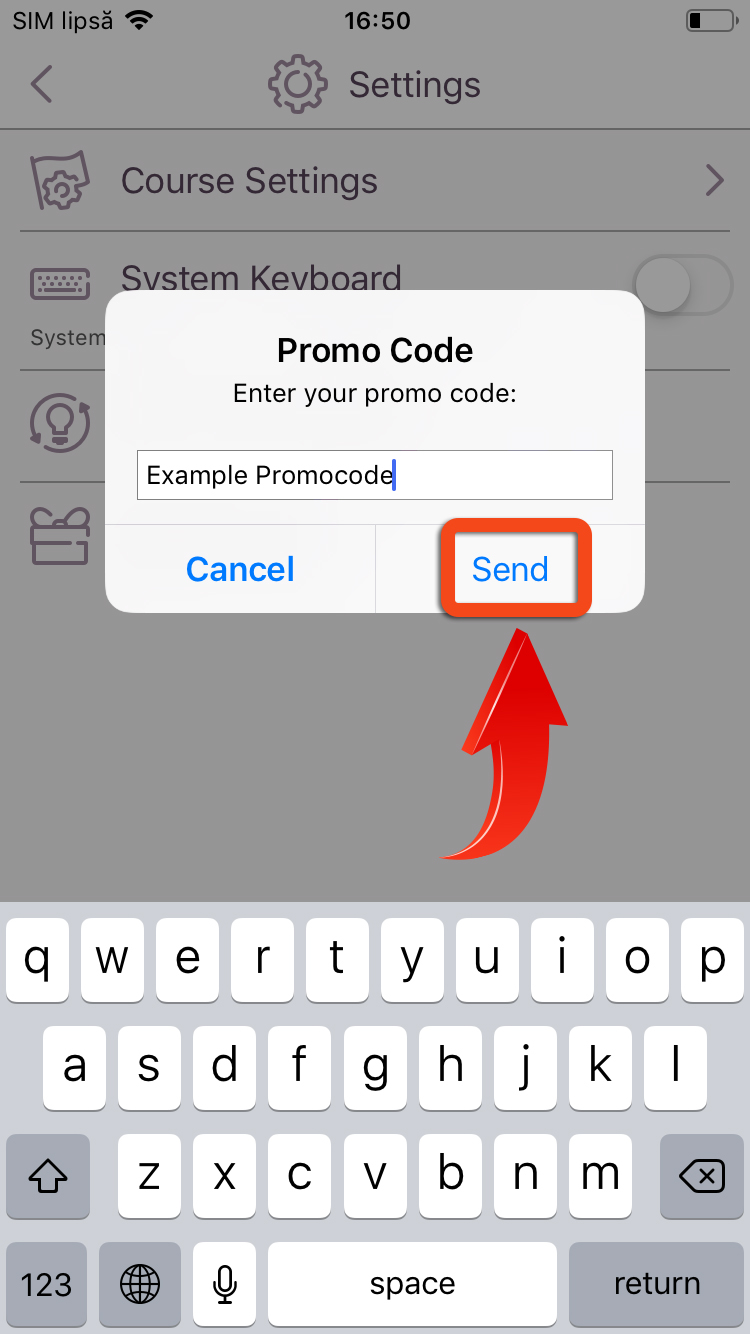
5. Tap on "Send".
Send_Promocode_-_iOS.jpg

  • Facebook
  • Twitter
  • LinkedIn
Was this article helpful?
0 out of 0 found this helpful
Have an issue?
Return to top

Related articles

  • How can I view my conversations with the Support team?
FunEasyLearn Help Center Home