FunEasyLearn Help Center Help Center home page
Submit a request
  1. FunEasyLearn Help Center
  2. FAQ Android
  3. Settings

Articles in this section

  • How do I change the font size?
  • How do I use the keyboard of my device?
  • How do I reset all the tutorials?
  • How do I activate my Promo Code?
  • How do I delete my account?

How do I activate my Promo Code?

If you want to activate your Promo Code:

1. Go to the "More" tab.
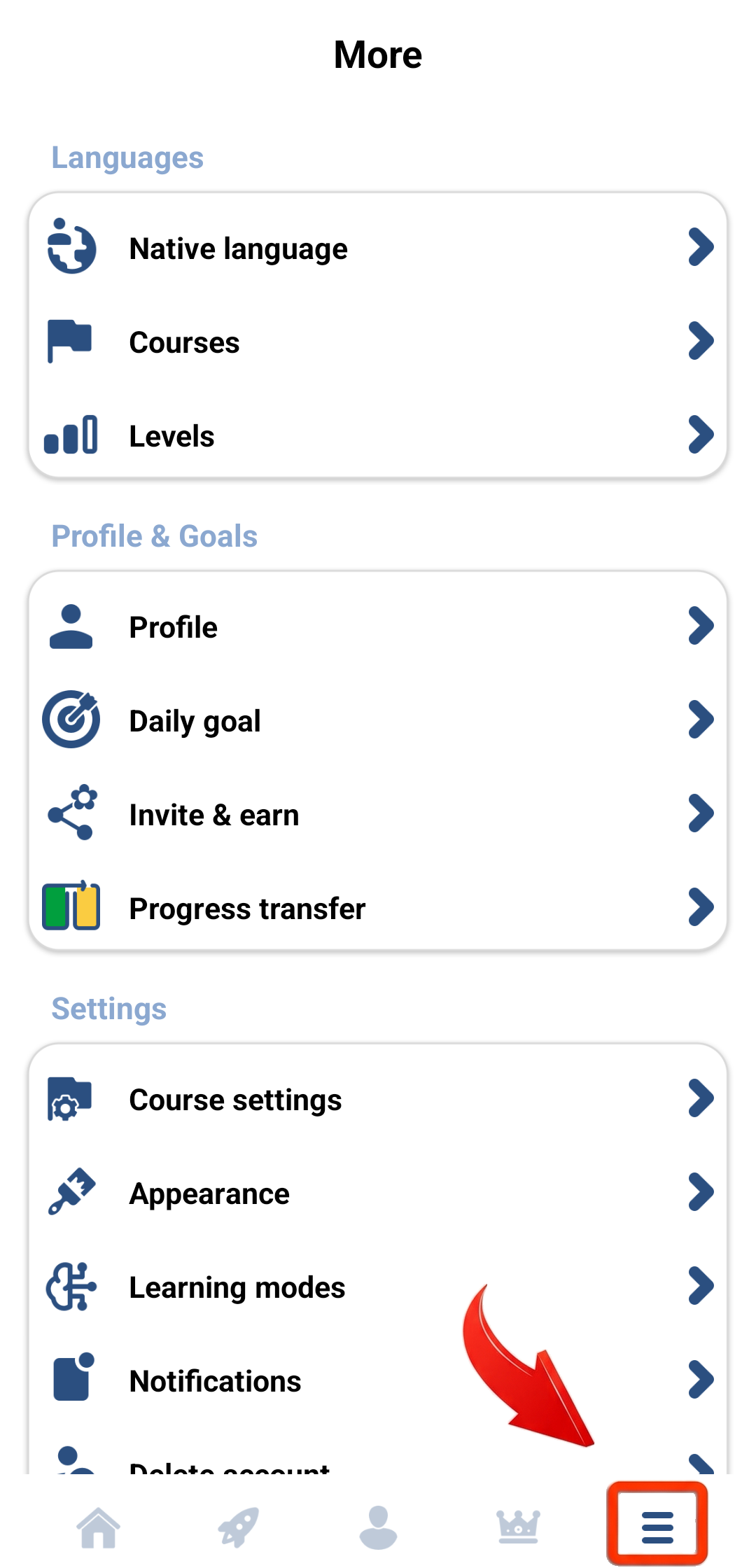
More tab

2. Scroll down and tap on "Promo code".
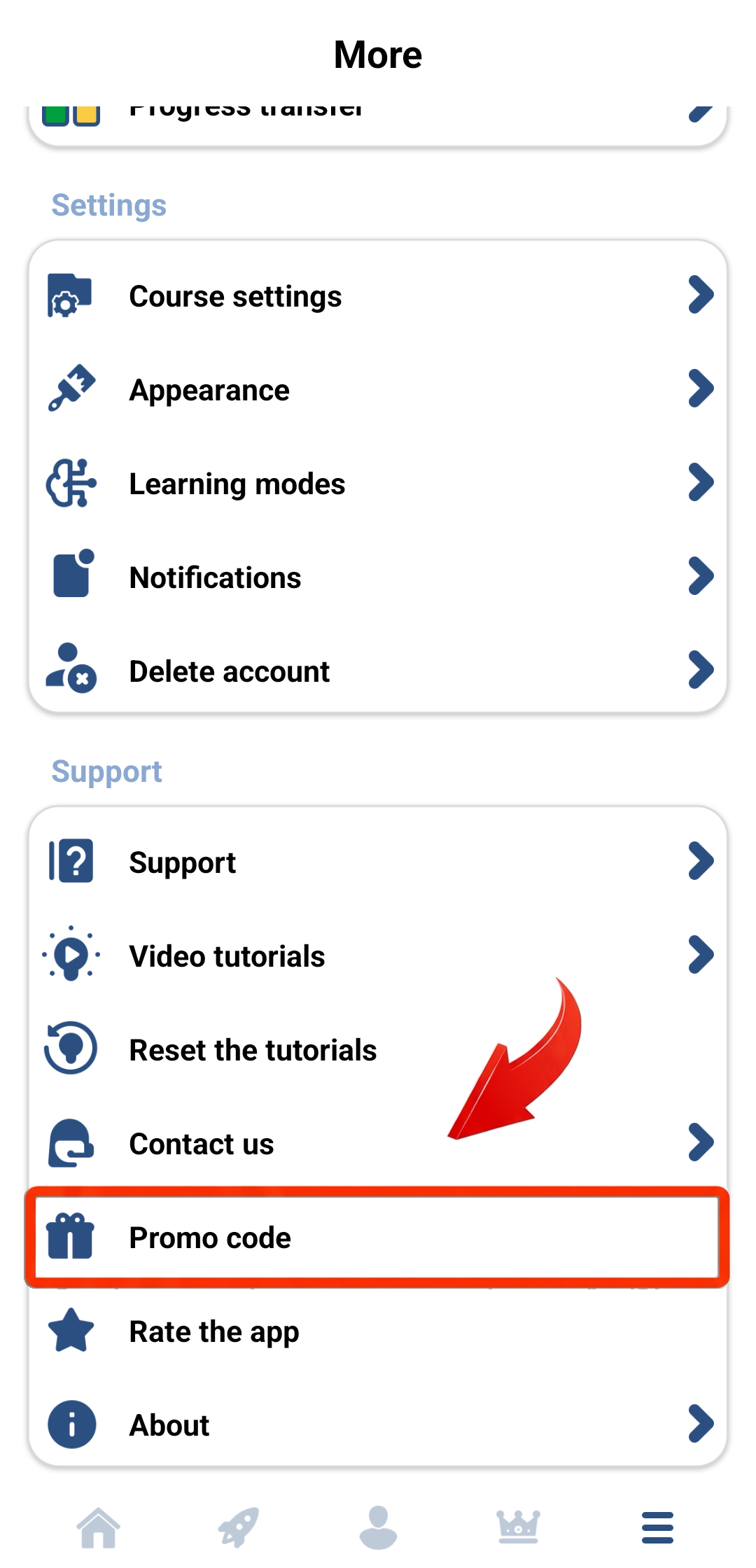
Promo code menu option

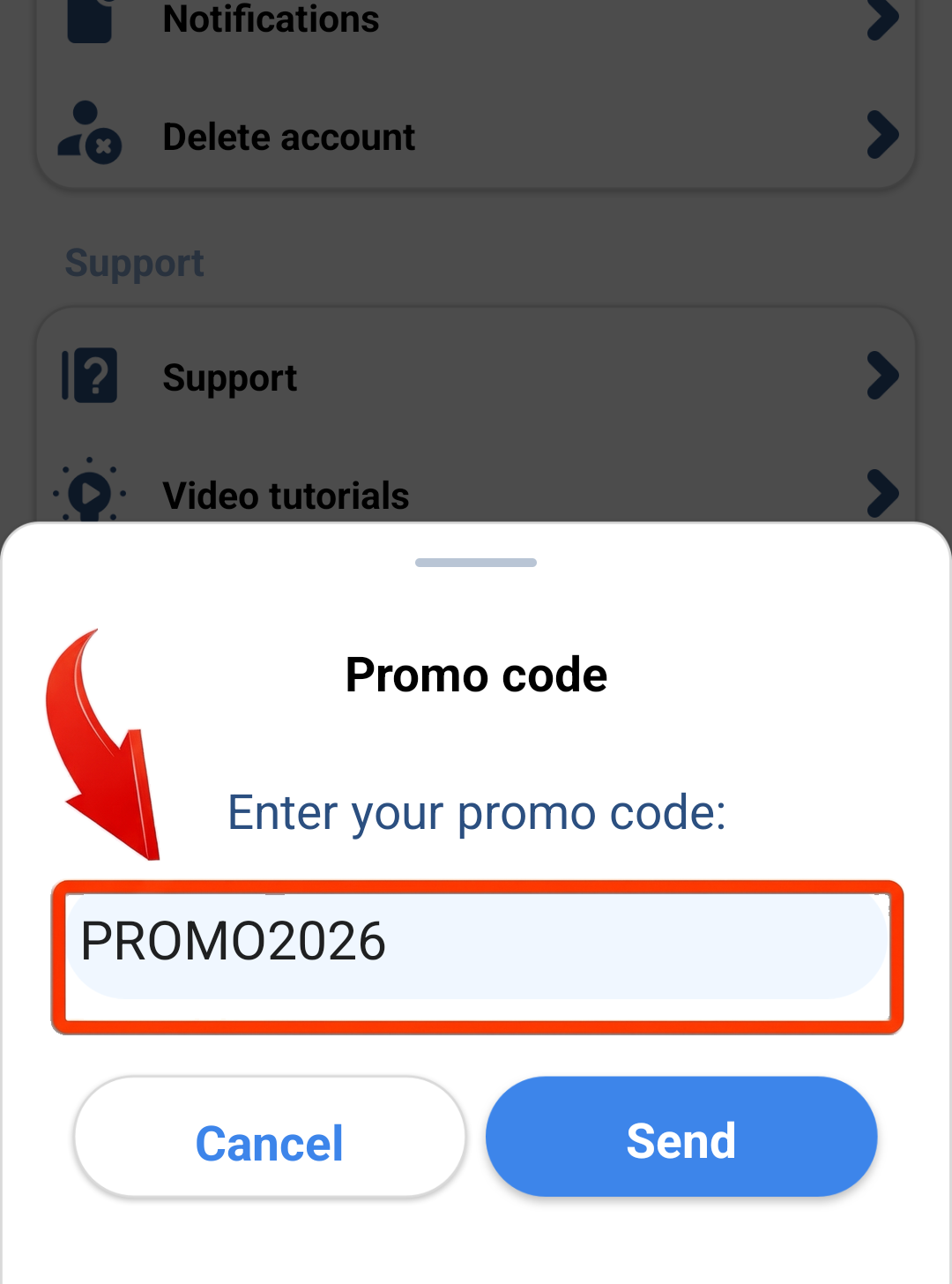
3. Write your Promo Code.
Promo code field
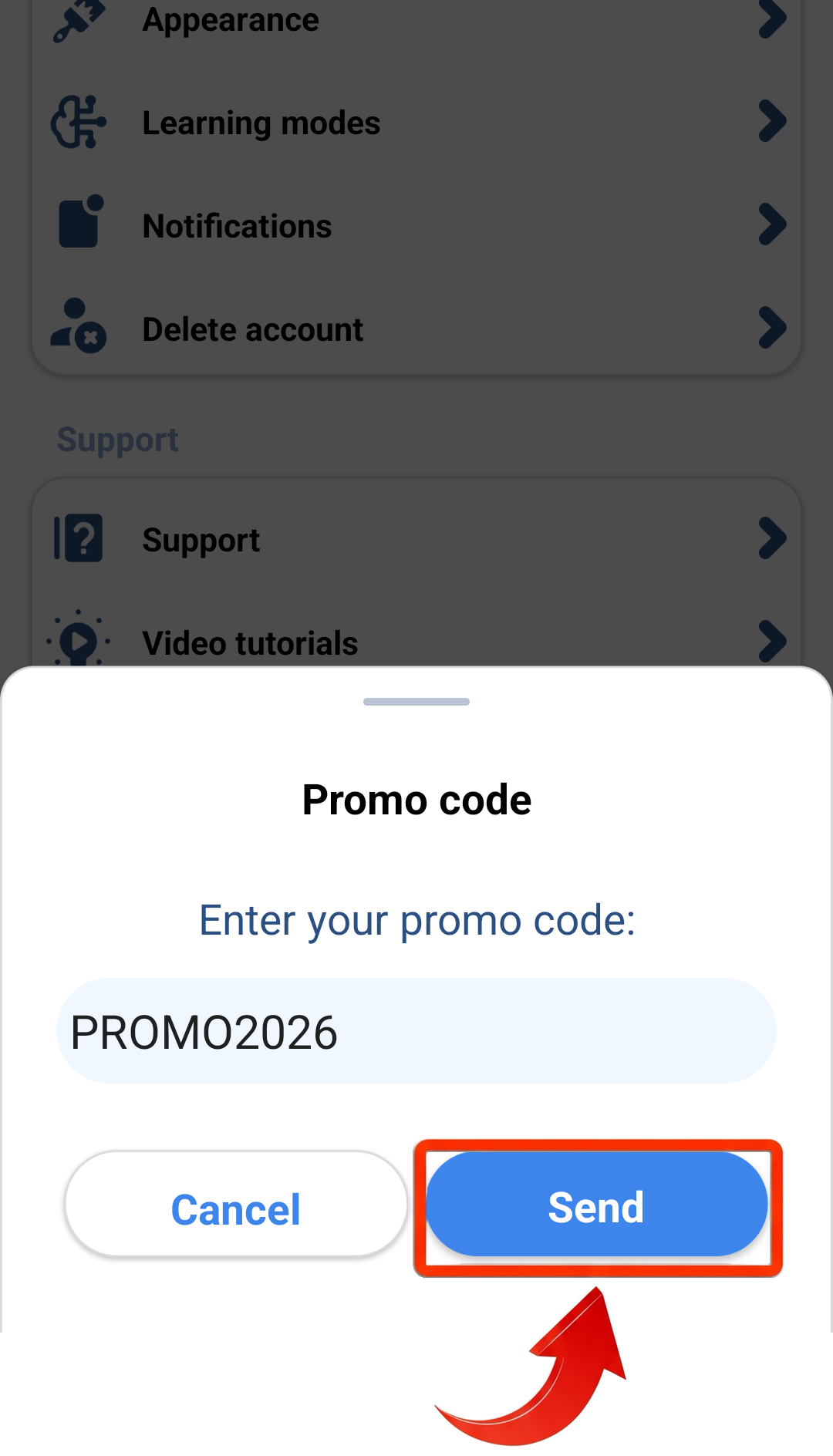
4. Tap on "Send".
Send button

  • Facebook
  • Twitter
  • LinkedIn
Was this article helpful?
0 out of 0 found this helpful
Have an issue?
Return to top

Related articles

  • How do I activate my Promo Code?
  • What are flowers?
FunEasyLearn Help Center Home